FAQ (PG): Enrollment
1. How to check my enrollment appointment start time?
2. How long is my enrollment timeslot?
Beginning from the assigned enrollment start time, students may enroll/ drop/ swap a course until its add/drop deadline.
3. What are the differences between class enrollment period and the add/drop period?
Most functions (add/drop/swap) are the same in these two periods. However, only in the add/drop period students can submit course audit requests. Also, for most UG courses, reserved seats in the enrollment period will be released as free seats during the add/drop period.
4. Why are there “reserve capacity” in some courses?
Course departments may request to reserve certain or all places of a course for students in particular programs during the enrollment period. Students who have officially declared their major or minor (where applicable) in the specified programs can occupy the reserve capacity.
For UG courses, most reserve capacity would be released as free seats when add/drop period starts if they are not taken back by the course departments. Reserve capacity in PG courses would not be released as free seats unless the instructor/ course department intends to do so.
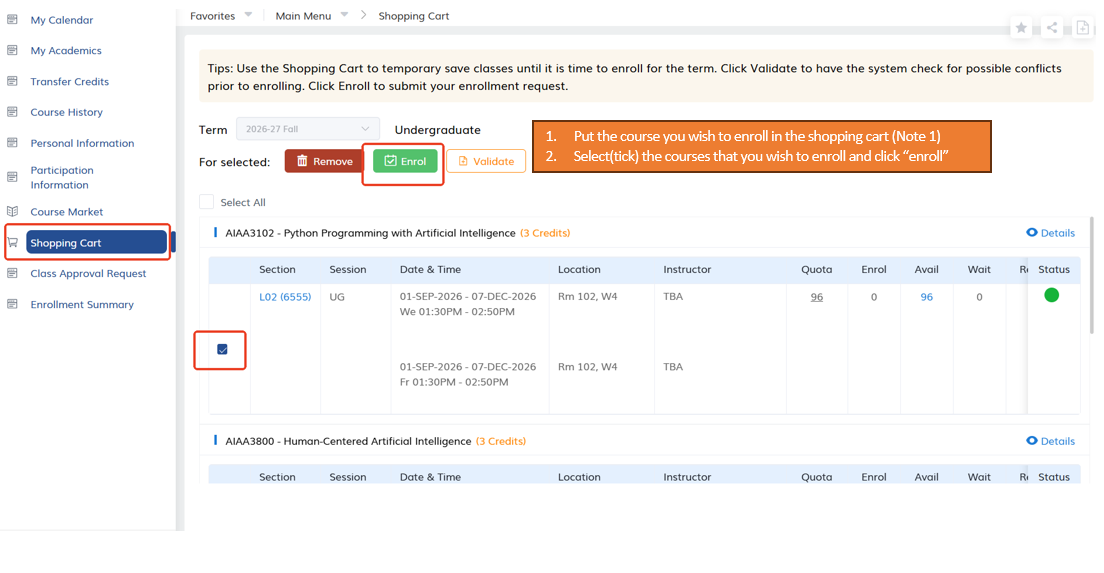
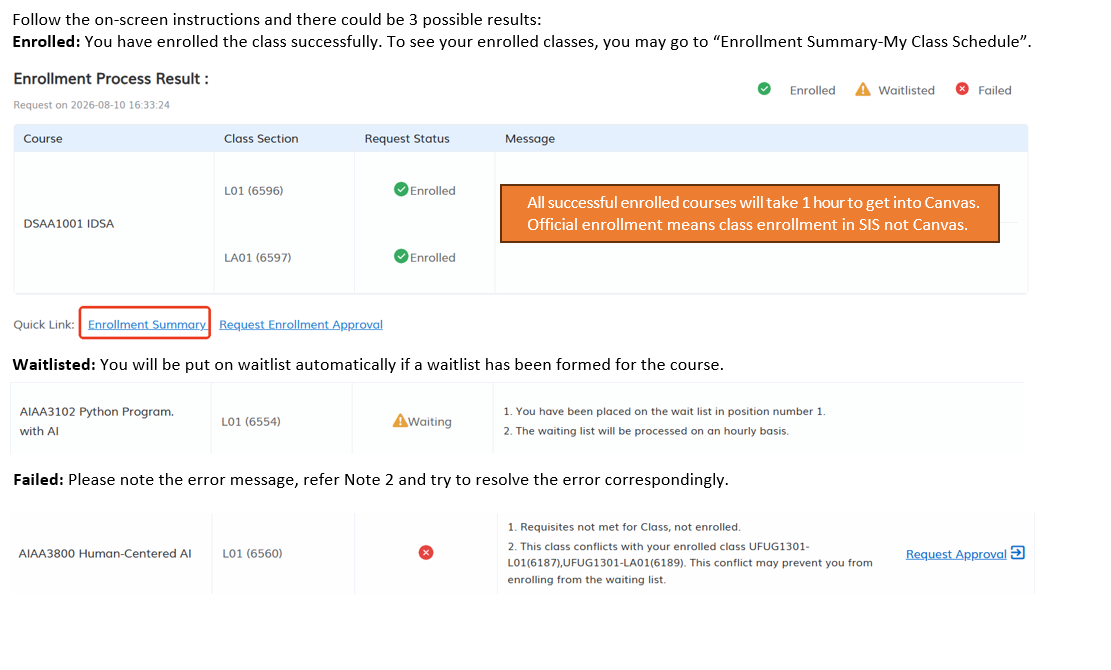
5. How to add (enroll) a course?


Note 1: Please refer Question 5 of Validation.
Note 2: Please refer to Question 6 of Validation.
6. How to swap from one course to another?
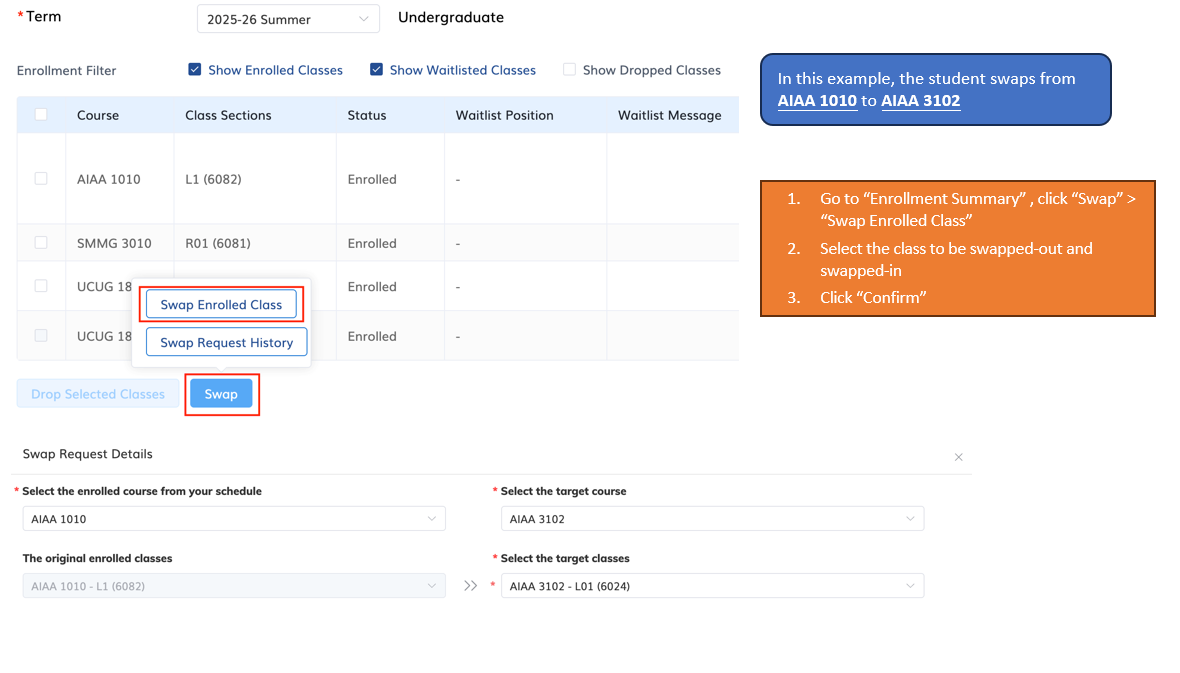
The swap feature supports only courses that consist of a single component. For courses that require specific matching sections, the swap tool cannot be used; you must drop the current course and complete a new enrollment.
7. How to swap class sections within the same course?
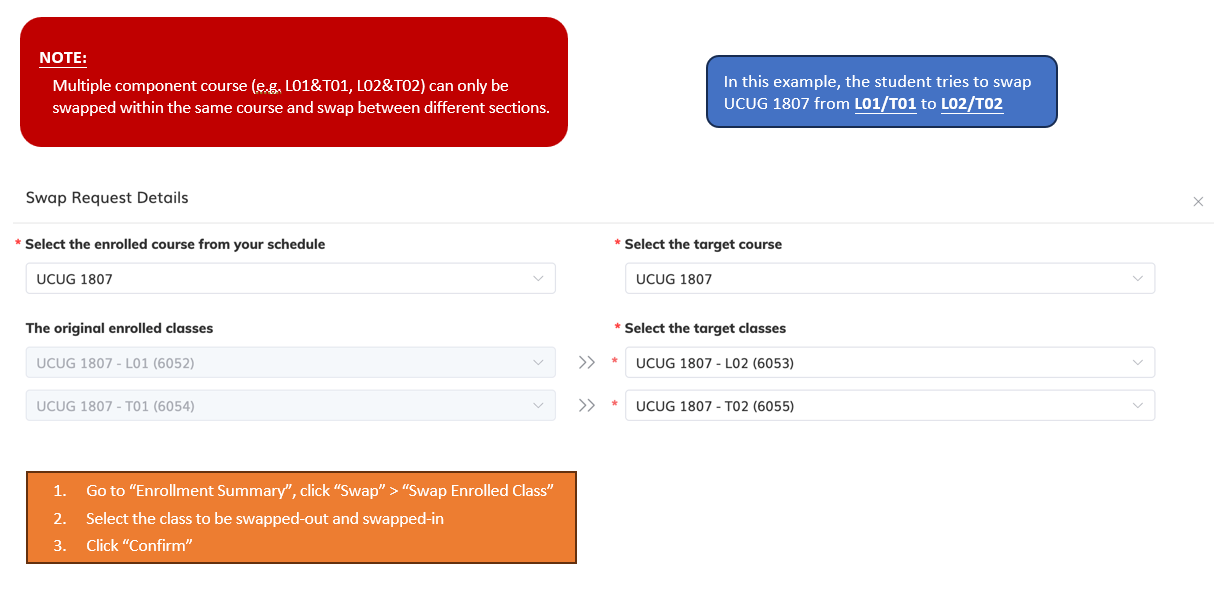
8. How can I increase my chance of enrolling in case the course has multiple sections?
If a course has no vacancy yet but there are multiple sections, students may submit add requests to waitlist for different sections at the same time. However, when vacancies arise and should one of the waitlist requests be successfully executed, all other waitlist requests for the same course will be cancelled. The below is an illustration:
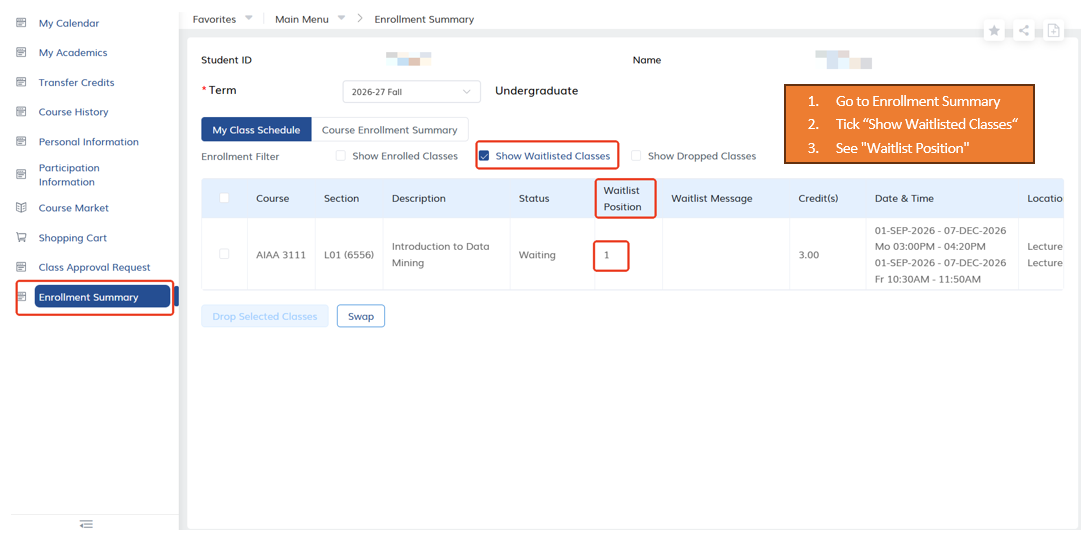
9. How to check my waitlist position?
10. Is there a maximum credit that I can waitlist for?
In regular terms, PG full-time students can waitlist up to 30 credits while part-time 8.
11. I am on the waitlist for a long time without any movements, what are the possible reasons?
It is possible that:
1) your waitlisted class has a time conflict with one of your enrolled classes.
2) Your term enrollment limit would be exceeded if this class is enrolled.
Under these circumstances, when places are available, the system will assign them to other students in the queue and your waiting position will remain the same.
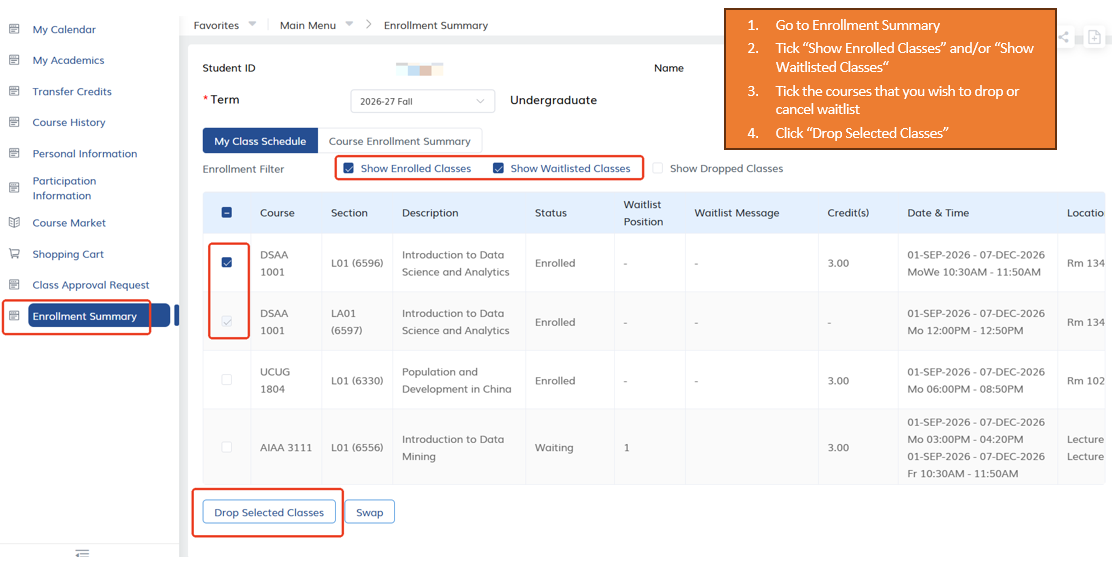
12. How to drop a class or cancel a waitlist request?
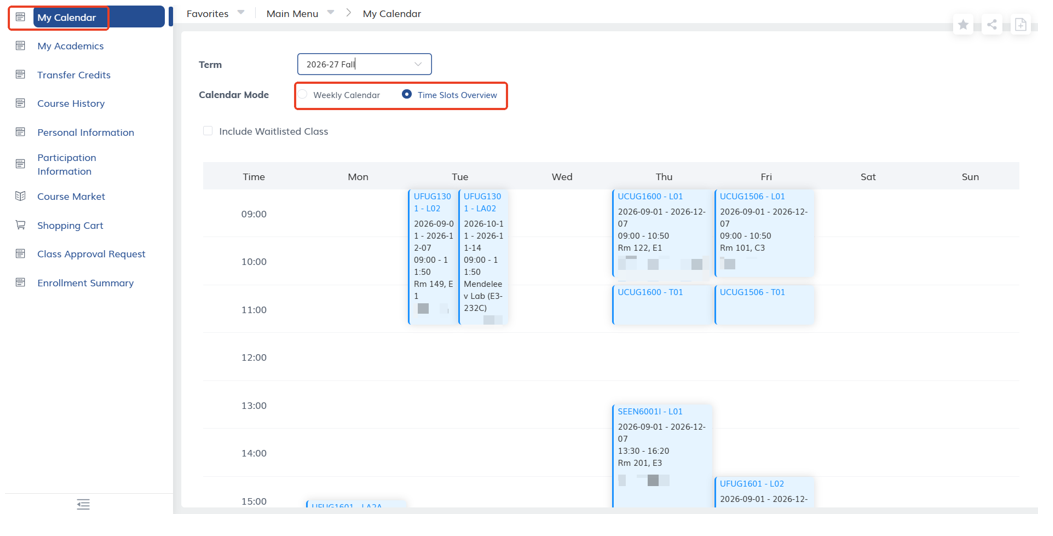
13. How can I view my time table for my enrollment in Student Center?
You can click on “My Calendar”, then you will see the Weekly Calendar or Time Slots Overview.
Class Enrollment Guide (PG)
The materials and content of this document are reproduced by courtesy of the Academic Registry, HKUST (Clear Water Bay).
Useful Websites:
- Student Information System (SIS)
- Class Schedule & Quota
- Class Enrollment Guide (UG)
- Class Enrollment Guide (PG)
Program/ Course Catalog:
Related Application Form & System: